

Download Global VPN – Free Secure VPN for Mac, Windows, Android & iOS
Overview
Global VPN is a free, cross‑platform virtual private network solution that aims to provide secure, encrypted internet access for individuals and small businesses. Developed by Portable Ltd., this business‑productivity tool is available in 20+ languages, ranging from English and French to Japanese and Turkish, ensuring that a wide audience can benefit from its privacy‑focused features. While the core product is offered at no cost, Global VPN includes optional premium upgrades for users who need additional server locations, higher bandwidth caps, or priority support. The free tier already covers essential functions such as IP masking, DNS leak protection, and automatic kill‑switch activation, making it a solid choice for anyone looking to browse the web safely on a Mac, Windows PC, Android phone, or iOS device.
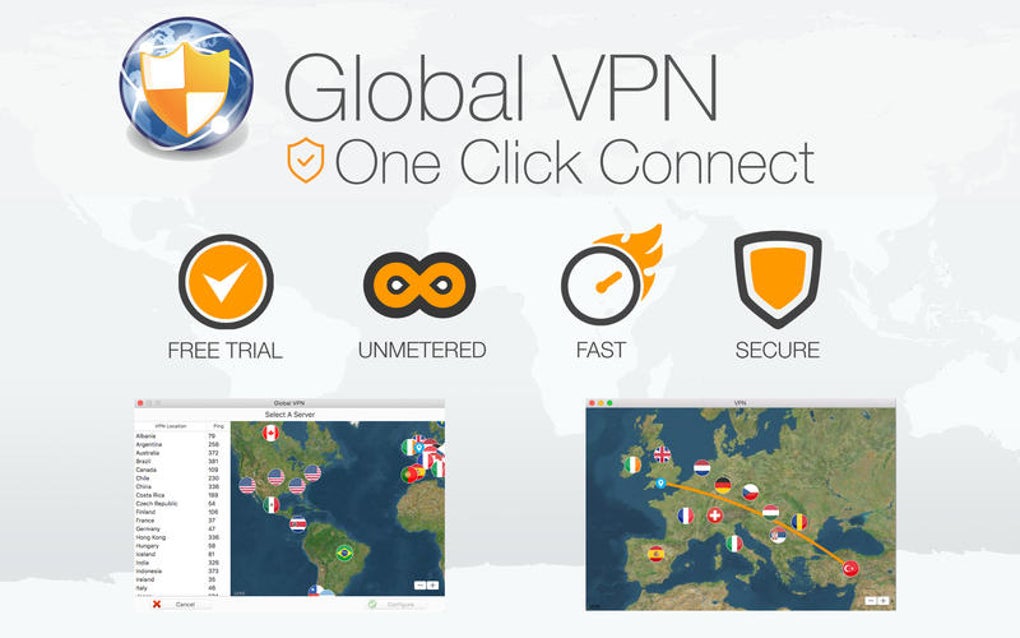
In today’s hyper‑connected world, data breaches and ISP throttling are common concerns. Global VPN addresses these issues by routing traffic through encrypted tunnels, preventing eavesdropping and ensuring that your online activities remain private. Its user‑friendly interface is designed for both tech‑savvy professionals and casual users, with a one‑click connect button and a clear dashboard that displays connection status, current server location, and data usage. The software also integrates seamlessly with popular productivity suites, allowing remote workers to access corporate resources without exposing sensitive information to public Wi‑Fi networks.
Because the application is categorized under “Business‑productivity,” it focuses not only on privacy but also on reliability and speed. Global VPN maintains a network of over 200 servers spread across North America, Europe, and Asia, and continuously updates its server list to bypass geo‑restrictions and censorship. Whether you need to stream video content from abroad, conduct secure video conferences, or simply hide your browsing history from nosy neighbors, Global VPN provides a free, secure, and regularly updated solution.
Key Features
- Free Unlimited Bandwidth (Basic Tier) – Enjoy unrestricted data transfer without hidden caps, perfect for everyday browsing and streaming.
- Military‑Grade Encryption – Uses AES‑256 encryption to secure all inbound and outbound traffic, ensuring that hackers and ISPs cannot read your data.
- Kill Switch – Instantly blocks all internet traffic if the VPN connection drops, protecting your IP address from accidental exposure.
- Multi‑Platform Support – Native apps for macOS, Windows, Android, and iOS, with synchronized settings across devices.
- Server Network – Access to more than 200 servers in 45 countries, with automatic selection of the fastest route.
- DNS Leak Protection – Prevents DNS queries from leaking outside the encrypted tunnel, preserving anonymity.
- No‑Log Policy – Portable Ltd. commits to a strict no‑logging practice, meaning connection timestamps, IP addresses, or usage data are never stored.
- Split Tunneling – Choose which apps or websites go through the VPN and which use the regular internet connection, optimizing speed for local services.
- Ad & Malware Blocking (Premium Add‑on) – Optional feature that filters out malicious domains and intrusive ads while you browse.
- Easy One‑Click Connect – Simplified UI lets users connect to the optimal server with a single click, ideal for non‑technical users.
Beyond the listed capabilities, Global VPN also offers scheduled connections, allowing you to set automatic connection times (e.g., every night at 10 PM). The application’s lightweight design ensures it consumes minimal system resources, making it suitable for older hardware or devices with limited RAM. Regular software updates are pushed automatically, delivering the latest security patches and performance enhancements without user intervention.
For business users, the premium tier introduces dedicated IP addresses, which can be crucial for accessing corporate VPNs that whitelist specific IPs. Additionally, premium subscribers receive priority customer support, a faster connection queue during peak hours, and early access to new server locations as they are added to the network.
Installation, Setup & Compatibility
Step‑by‑Step Installation
Getting Global VPN up and running is straightforward. Follow these steps to install the free version on your preferred device:
- Visit the official Global VPN website and click the “Download” button that matches your operating system (macOS, Windows, Android, or iOS).
- For macOS and Windows, run the installer file (.dmg or .exe) and follow the on‑screen prompts. The installer will request permission to add a new network extension; grant this access to enable the VPN tunnel.
- On Android, download the APK from the Google Play Store or the official site, then tap “Install.” iOS users can obtain the app directly from the App Store.
- After installation, launch the app and create a free account using your email address or sign in with a Google/Facebook account for quicker access.
- Verify your email (if required) and then you’ll be taken to the main dashboard where you can click “Connect” to establish a secure tunnel instantly.
Initial Configuration
Global VPN’s first‑time setup wizard guides you through essential preferences:
- Auto‑Connect on Startup – Enable this option if you want the VPN to activate automatically whenever you boot your computer.
- Kill Switch Activation – Turn on the kill switch to ensure no traffic leaks if the connection fails.
- Preferred Server Region – Choose a default region (e.g., North America) for quicker connections, or let the app select the fastest server automatically.
- Split Tunneling Settings – Define which applications bypass the VPN (useful for local printers or banking apps).
All settings are saved to your cloud profile, meaning you can sync them across devices simply by logging into the same account.
Operating System Compatibility
Global VPN supports the following platforms:
- macOS 10.13 (High Sierra) and later
- Windows 7, 8, 10, and 11 (64‑bit)
- Android 6.0 (Marshmallow) and later
- iOS 12.0 and later (iPhone, iPad, iPod Touch)
The application is optimized for both Intel and Apple Silicon Macs, with a dedicated build that leverages the M1/M2 architecture for improved performance. On Windows, the software integrates with the native network stack to provide seamless connectivity, while on mobile platforms it utilizes the built‑in VPN framework to maintain background operation even when the device is locked.
For users with older operating systems, Global VPN offers a lightweight “Legacy Mode” that disables certain advanced features (like split tunneling) but retains core encryption and kill‑switch functionality. This ensures that even users on legacy hardware can benefit from basic privacy protection.
Pros & Cons
Advantages
- Completely free tier with unlimited bandwidth.
- Strong AES‑256 encryption and a reliable kill‑switch.
- Wide language support (20+ languages) for global accessibility.
- Cross‑platform availability, including macOS, Windows, Android, and iOS.
- Large server network (200+ servers in 45 countries) for fast connections.
- No‑log policy ensures user privacy.
- One‑click connect and automatic server selection simplify usage.
- Lightweight client that runs smoothly on older hardware.
- Optional premium features (dedicated IP, ad blocking) for power users.
- Regular automatic updates keep security patches current.
Drawbacks
- Free servers can experience occasional congestion during peak hours.
- Premium upgrades are required for features like dedicated IP and ad‑blocking.
- Limited advanced configuration options for network administrators.
- Customer support for free users is limited to community forums.
- Some regional streaming services actively block VPN IP ranges.
Overall Rating: 4 out of 5 stars – Global VPN delivers a solid free VPN experience with strong encryption and a user‑friendly interface, though power users may need to upgrade for premium capabilities.
Frequently Asked Questions
Is Global VPN truly free or are there hidden costs?
The core version of Global VPN is completely free with unlimited bandwidth. There are no hidden fees. Optional premium upgrades (such as dedicated IP or ad‑blocking) are clearly labeled and billed only if you choose to subscribe.
Can I use Global VPN on multiple devices simultaneously?
Yes. A single free account allows simultaneous connections on up to five devices across macOS, Windows, Android, and iOS. Premium plans increase the device limit and add features like multi‑hop routing.
How does Global VPN protect against DNS leaks?
Global VPN includes built‑in DNS leak protection that forces all DNS queries through encrypted VPN servers. The app also verifies that your DNS requests are not exposed via a secondary resolver, and it blocks any attempts to bypass the tunnel.
Will using Global VPN affect my internet speed?
Because Global VPN uses high‑performance servers and optimized routing, most users experience only a modest speed reduction (typically 5‑15%). During peak usage, free servers may be slightly slower, but switching to a less‑crowded server or upgrading to premium usually restores optimal performance.
Is my data logged or stored by Portable Ltd.?
Portable Ltd. follows a strict no‑log policy. Connection timestamps, IP addresses, and browsing activity are never recorded or stored. Only anonymized, aggregated usage statistics are kept for service improvement, and these contain no personally identifiable information.
Conclusion & Call to Action
Global VPN stands out as one of the most accessible free VPN solutions on the market, delivering robust security, a generous server network, and an intuitive interface across all major platforms. While power users may eventually gravitate toward the premium tier for advanced features, the free version offers more than enough functionality for everyday browsing, streaming, and remote work. Its commitment to privacy—highlighted by AES‑256 encryption, a reliable kill‑switch, and a genuine no‑log policy—makes it a trustworthy choice for anyone concerned about data security.
Ready to protect your online presence without spending a dime? Download Global VPN today, set up the one‑click connection, and experience the peace of mind that comes with encrypted browsing. Whether you’re a student, freelancer, or small‑business professional, Global VPN equips you with the tools needed to stay secure, unblock content, and keep your digital footprint hidden from prying eyes.
Don’t wait—secure your internet traffic now. Click the download button below, install the app on your device, and enjoy instant, free protection. For faster speeds, dedicated IP addresses, and priority support, explore the affordable premium plans available within the app.







